
Define the configuration result first
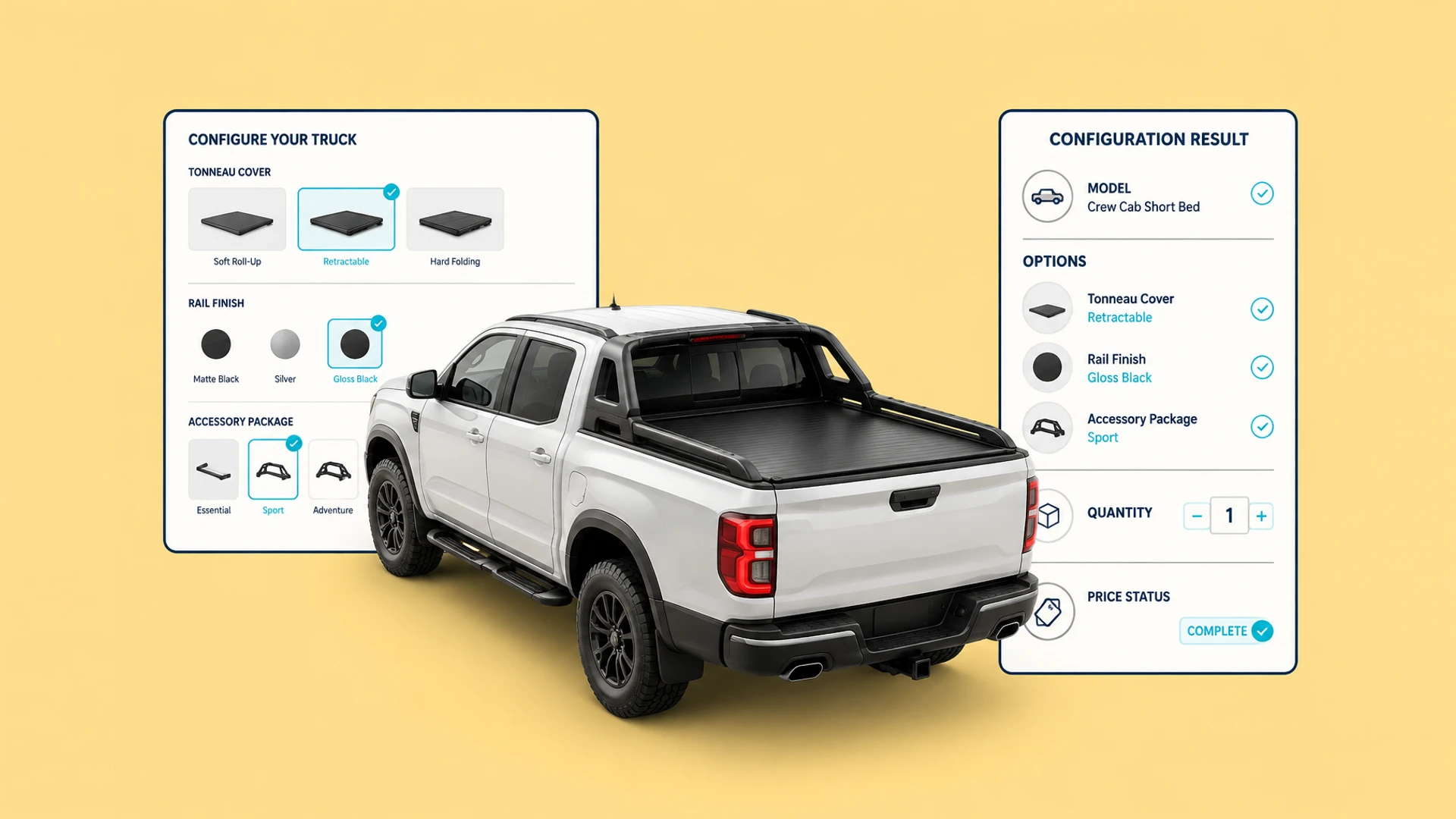
A configurator should produce a result that systems and sales teams can understand, not only a 3D scene state. It often includes the product model, selected options, quantity, price status, and buyer contact details.
Defining the fields and purpose of that result before choosing SKU, pricing, or order integrations makes the implementation scope much clearer.
Product and version identity
Option codes for each selection
Configuration status, quantity, and region
Estimated price, price range, or quote-required state
Buyer details that enable sales follow-up
Choose integration depth by business maturity
B2B and high-value projects often begin by creating a configuration summary and inquiry. Sales can verify complex conditions before quoting, which avoids automating unstable rules too early.
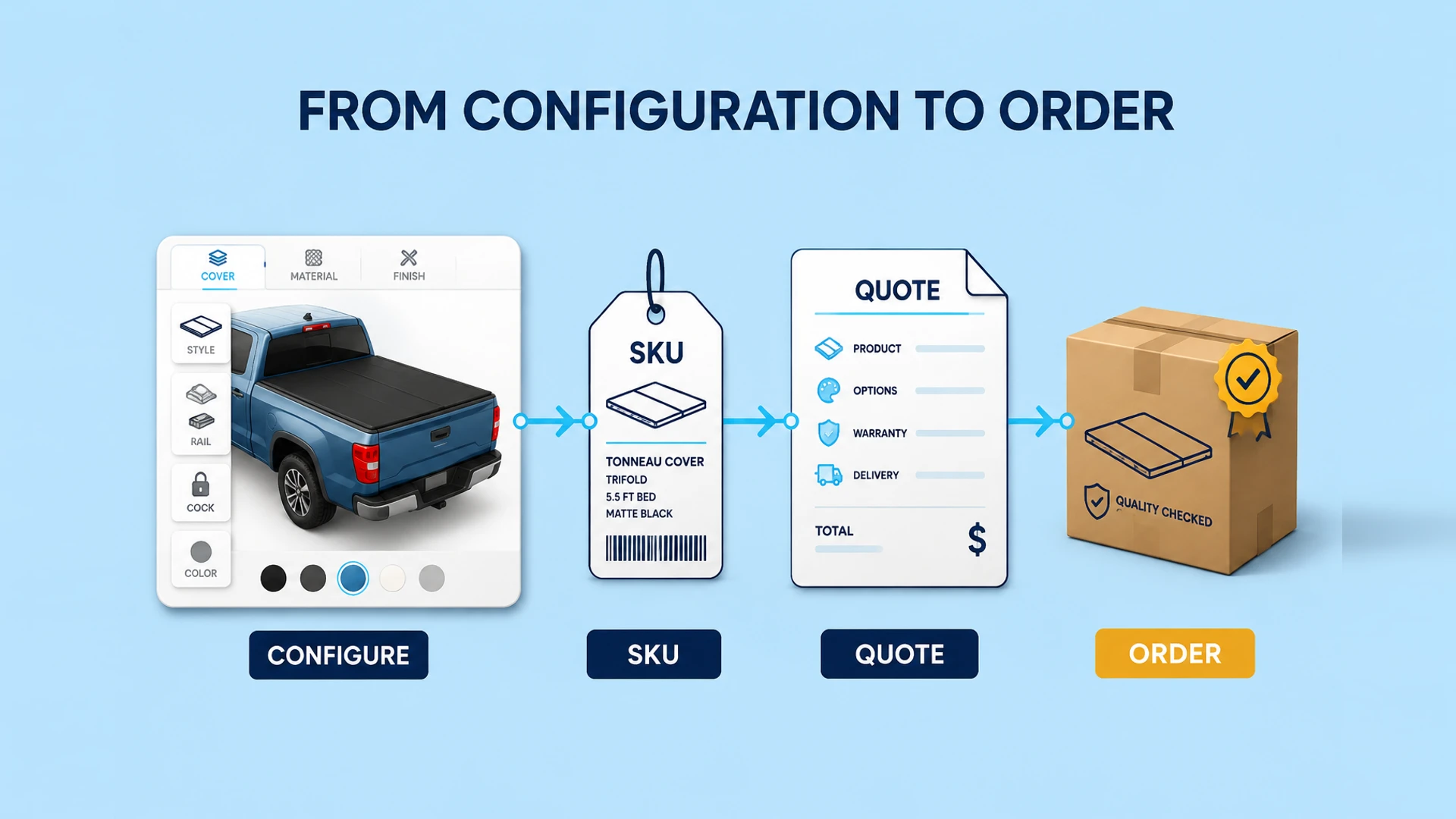
When product data is stable, price is clear, and inventory is available, the configuration result can map to a SKU or cart item for Shopify or another order flow.
Inquiry: configuration summary, contact details, and sales follow-up
Quotation: rules-based price or range with human confirmation
SKU: configuration maps to a sellable product or variant
Order: configuration, inventory, payment, and order state are connected
Integration quality depends on product data quality
The API is rarely the hardest part. More commonly, SKU codes are inconsistent, price is maintained in multiple sheets, or rules have no approved version. Define ownership and exception handling for critical fields before launch.
Name the owner of SKU, price, and inventory sources
Set boundaries for region, currency, tax, and lead time
Record the rule and price version with every submitted configuration
Prepare clear fallbacks when an integration is unavailable
Start with a structured configuration summary
Even without live order integration, a configurator can produce a stable configuration summary. It should include readable labels for buyers and stable codes for sales and systems, for example:
{
  "product": "product-model-01",
  "options": [
    { "code": "fabric-outdoor-02", "label": "Outdoor fabric" },
    { "code": "base-wide-01", "label": "Wide base" }
  ],
  "quantity": 2,
  "priceStatus": "quote_required",
  "ruleVersion": "2026-08"
}
The buyer sees an understandable summary while sales and backend systems use stable codes for quoting, inventory checks, or CRM records. An inquiry-first project can create value before deeper automation is added.
Track the data lifecycle, not only the final payload
A configuration is a commercial record with a lifecycle. A buyer may save it, submit an inquiry, receive a revised quote, or return after product data has changed. Store an immutable configuration ID together with the product, rule, and price versions that produced it.
This allows sales to explain what the buyer selected at the time of submission, even when a price list or option is later updated. It also prevents a saved link from silently becoming a different sellable product.
Draft: a buyer is still changing selections
Submitted: sales receives a rule-valid summary and contact context
Quoted: the commercial team attaches an approved price and validity period
Ordered: the final approved configuration is mapped to order and fulfillment data
Decide which system owns each data set
Before implementation, name the source of truth for the catalog, SKU, price, inventory, and rules. The configurator can collect and present selections, but it should not maintain the same critical data independently in several systems.
Catalog or PIM: products, options, and media
Configurator: visual state, rule validation, and configuration summary
Quotation or CPQ: pricing, approval, and quote versions
Shopify or ERP: inventory, cart, order, and fulfillment state
Design exception paths and acceptance tests
The happy path is only one part of an integration. A discontinued option, unavailable inventory, expired price, or failed API call needs a defined business response. The configurator should never imply that an order is confirmed when a downstream system has rejected the result.
| Situation | Expected behavior | Business owner |
|---|---|---|
| Option is no longer sellable | Block submission or mark the result for review | Product team |
| Price rule is unavailable | Show quote-required status instead of a calculated price | Sales or CPQ owner |
| Inventory cannot be confirmed | Preserve the configuration and request availability review | Commerce or ERP owner |
| CRM or order handoff fails | Retry safely and alert the responsible team with the configuration ID | Operations team |
Before launch, test a representative valid configuration, an invalid combination, a price exception, and a handoff failure from the same buyer journey. The acceptance record should confirm that the buyer message, sales record, and downstream data all describe the same configuration.
Ready to turn these principles into a project plan?
We can review your product structure, option logic, and target market to define a practical delivery scope and launch priority.