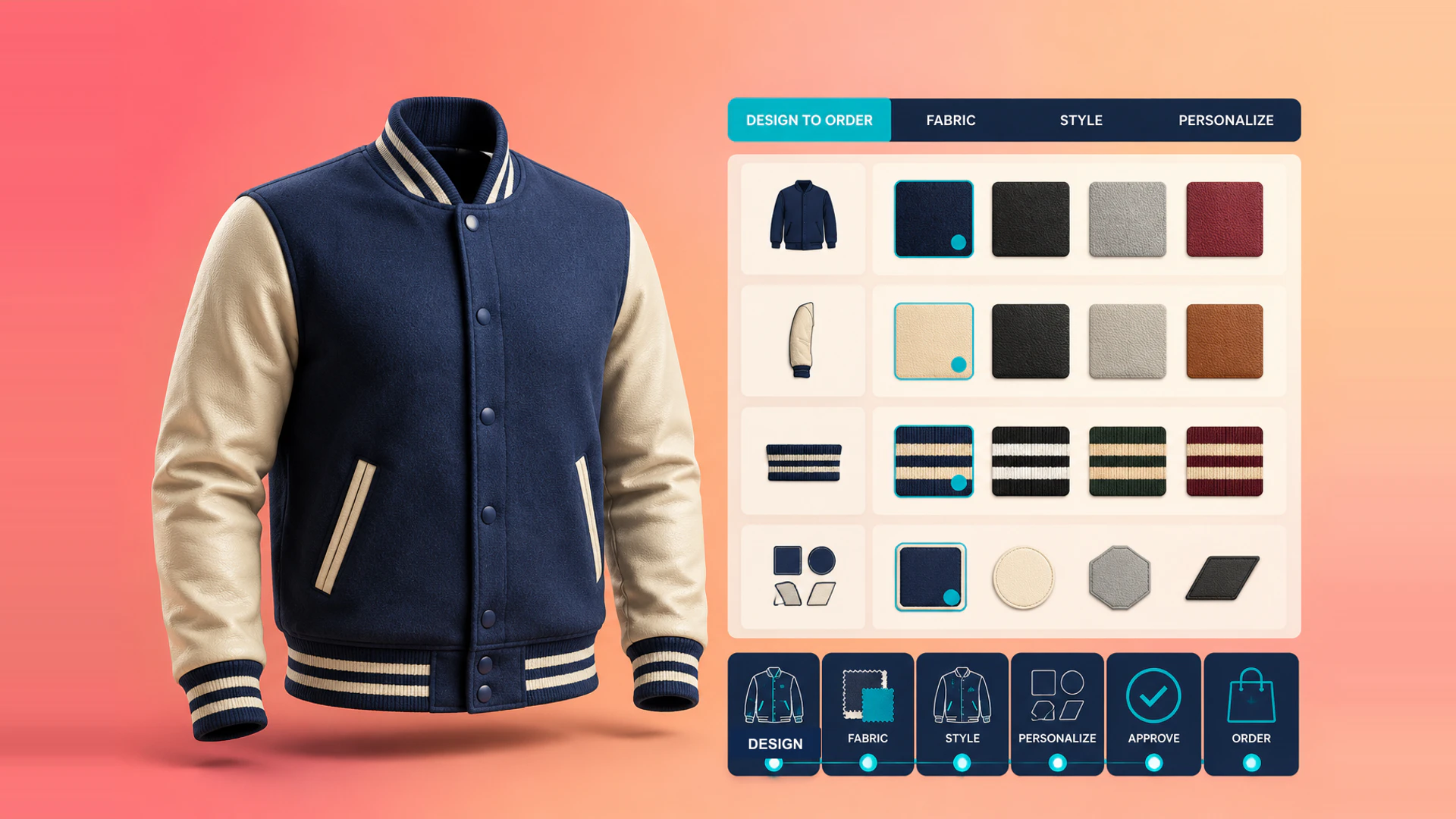
An apparel configurator should answer a practical question: can the buyer understand what will be made, and can the business produce or quote the selected result without reinterpreting it?
Prioritize the changes customers need to see
Fabric, color, trim, silhouette, graphic placement, and personalization can all change the perceived result. Start with options that affect the buyer's decision rather than attempting to simulate every production detail. The visual state should make material, style, and decoration differences obvious at the right camera views.
Choose model fidelity according to the decision. A consumer may need a close view of fabric texture and color, while a teamwear buyer may care more about graphic placement, quantities, and a size breakdown. A lightweight model with accurate materials can be more useful than a heavy model that loads slowly but does not show the options that affect production.
Treat sizing and decoration as rules
Size availability, color restrictions, print areas, embroidery limits, and minimum quantities often determine whether a configuration can be produced. Show these limits as customers make choices. For B2B uniforms and teamwear, add use case, quantity, and delivery timing before the final handoff.
Match the final action to the operational reality
Simple made-to-order products may proceed to Shopify checkout with selected variant and custom data. Products that require artwork review, sampling, or production confirmation should generate a request with the configuration summary instead. The design must not promise a direct order if manual approval is still necessary.
Separate design approval from commercial confirmation when needed. A customer may submit a jacket with a logo placement for review before the quantity, size mix, and final price are confirmed. The workflow should make the status visible: draft, artwork review, sample approval, quote ready, or ready to order. This prevents customers and internal teams from treating a preview as a production commitment.
Keep the output useful after the customer leaves
Store the selected components, color references, placement, quantities, size breakdown, uploaded files, and configuration ID in the inquiry or order record. A production or sales team should be able to understand the request without asking the buyer to rebuild it.
For uniforms and teamwear, the result should support repeated items and a size matrix rather than only one configured garment. For direct-to-consumer products, a saved image or shareable configuration can help customers compare options before checkout. In both cases, preserve the asset or color references used in the preview so the record remains useful after the visual session ends.
Measure the path from preview to production-ready request
Useful events include configurator starts, fabric or style changes, personalization attempts, artwork uploads, saved results, quote requests, and completed orders. Review the drop-off between each step. If customers spend time changing options but do not submit, the problem may be unclear pricing, missing production information, or an approval flow that appears too late.
The best apparel configurator is not the one with the most effects. It is the one that makes the selected garment easy to understand, review, price, and produce.
Plan assets and color approval carefully
Use approved fabric swatches, color references, trims, and decoration artwork as the source for the preview. Screen color is indicative, especially for textured fabric or print, so the page should distinguish visual preview from production color approval. Where physical samples or Pantone references are required, make that next step explicit.
Maintain a simple asset approval record for every fabric and decoration. When a material is retired or artwork changes, update the configurator and the production mapping together. This avoids a visually correct selection that cannot be fulfilled.
Give buyers a clear next step
At the result stage, state whether the customer can add the item to cart, request an artwork review, ask for a sample, or request a quote. Show the relevant delivery, minimum-quantity, and approval conditions before the buyer submits. Clear next steps reduce abandoned configurations and help sales prioritize requests that are ready to move forward.
See the apparel 3D configurator solution, the clothing customization case, and the Shopify integration guide. To review your product workflow, contact WECONFIG3D.
Ready to turn these principles into a project plan?
We can review your product structure, option logic, and target market to define a practical delivery scope and launch priority.