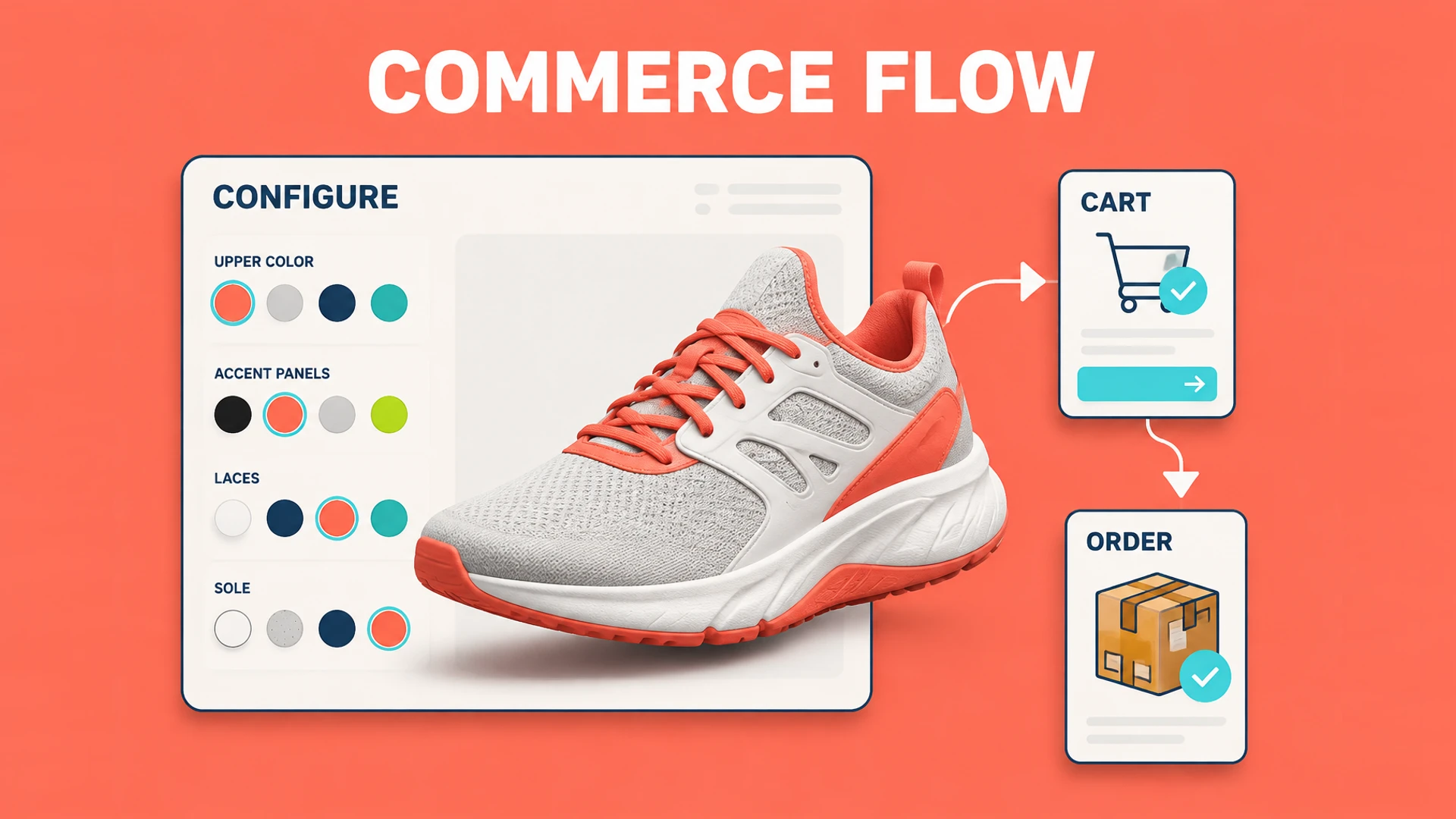
Define the configurator role in Shopify first
Some brands only need stronger presentation and an inquiry action on a product page. Others need each choice to become a purchasable variant, add-on, or custom order detail. These goals require different architectures.
Decide whether buyers should check out directly, whether inventory must stay synchronized, and whether a human approval step is allowed before selecting an integration path.
Presentation and inquiry: submit the configuration with a form
Variant purchase: selections map to existing Shopify variants
Bundle purchase: multiple components enter the cart
Custom order: configuration summary is passed as line item properties or order notes
Create a clear mapping between visual options and product data
Buyers see colors, materials, and modules, while Shopify needs sellable products and variants. Every selection that affects a commercial outcome should have a stable product or option code.
Not every visual state needs to become a variant. A camera position or explanatory hotspot can remain in configurator state instead of creating unnecessary product combinations.
Maintain variant or SKU mappings for sold selections
Separate price-changing options from presentation-only options
Define inventory and quantity rules for component combinations
Keep a readable configuration summary in cart and order data
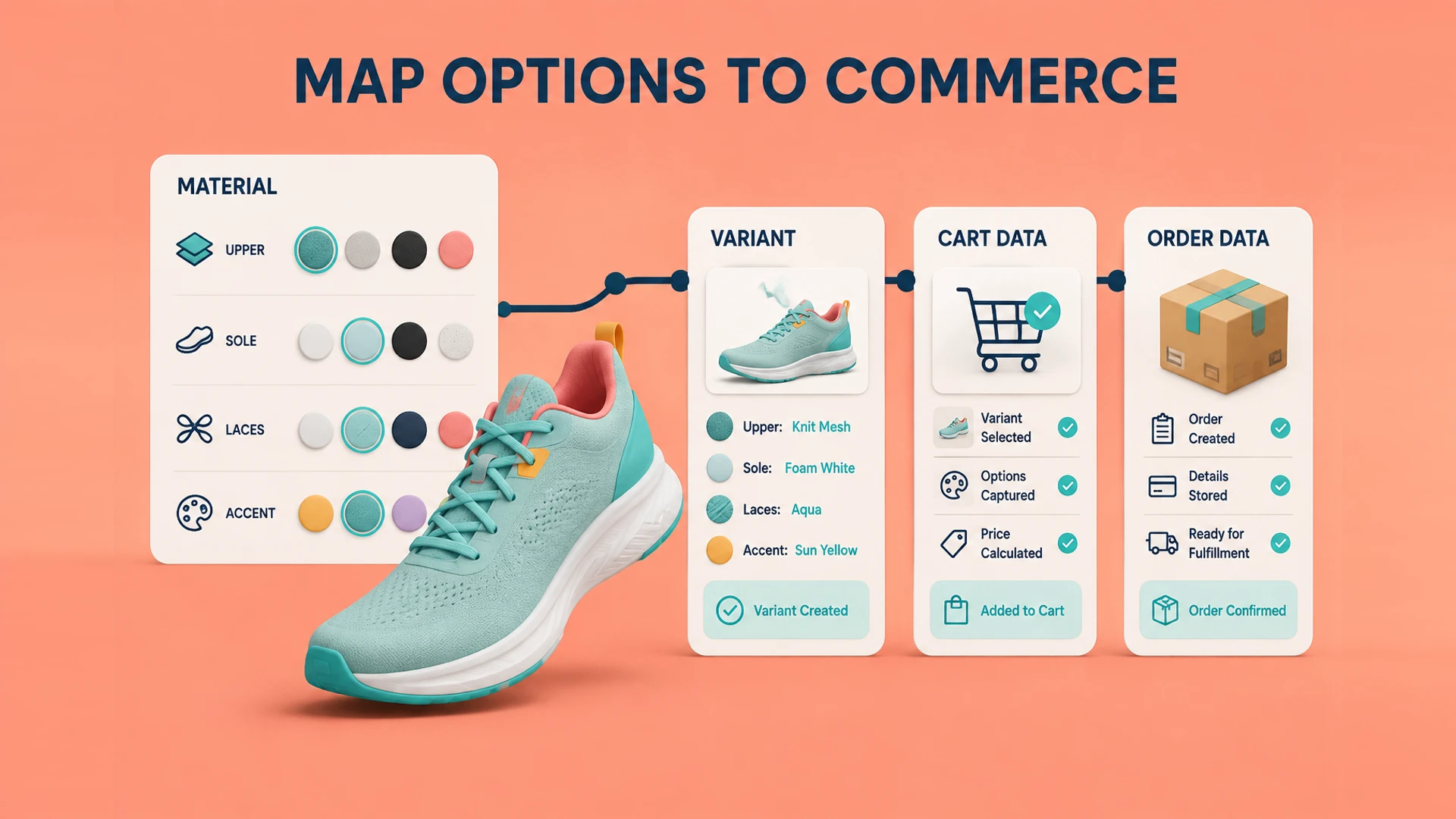
Validate four flows before launch
A configurator can look correct while still failing on mobile, discounts, inventory changes, or the order backend. Test the full path from buyer selection through the final order, not the 3D page alone.
Every purchasable configuration enters the cart correctly
Price, discount, and inventory conditions stay consistent
Mobile visitors can complete selection and checkout
The order backend clearly shows the final customer configuration
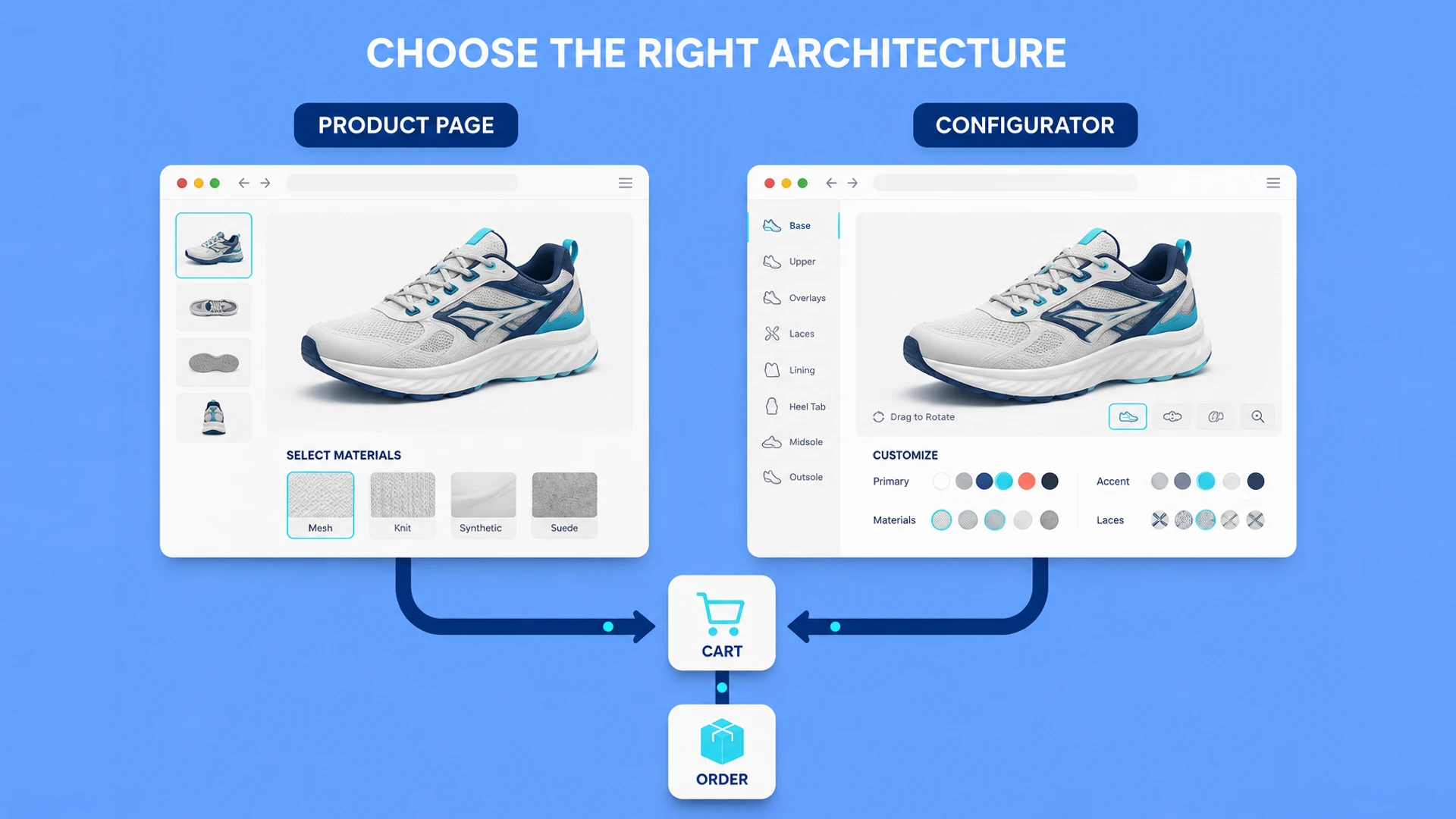
Choose the Shopify integration architecture first
A configurator can be embedded in an existing product page or operate as a separate product-selection experience that passes results into Shopify. The first approach fits brands enhancing a familiar product page; the second is better when options are complex, rules need their own layer, or several products share the same configurator.
Define the boundary between the configurator and Shopify: which system owns visual state and rules, and which owns products, inventory, discounts, cart, and order status. An unclear boundary is the most common cause of mismatches between the configured product and the order.
Do not turn every combination into a Variant
When color, material, module, and size are all expanded into variants, the combination count can grow quickly and make catalog and inventory maintenance difficult. Map only choices that affect sale, inventory, or fulfillment to sellable SKUs or variants. Presentation-only state can remain in the configuration summary.
The summary should preserve readable names, stable codes, a thumbnail or share link, and enough context for customer support and the order backend to understand the result.
Test the complete order path
Test different products, combinations, inventory states, discounts, mobile flows, and failure fallbacks. After submission, verify that the cart, checkout, and order backend still describe the same configuration.
Ready to turn these principles into a project plan?
We can review your product structure, option logic, and target market to define a practical delivery scope and launch priority.