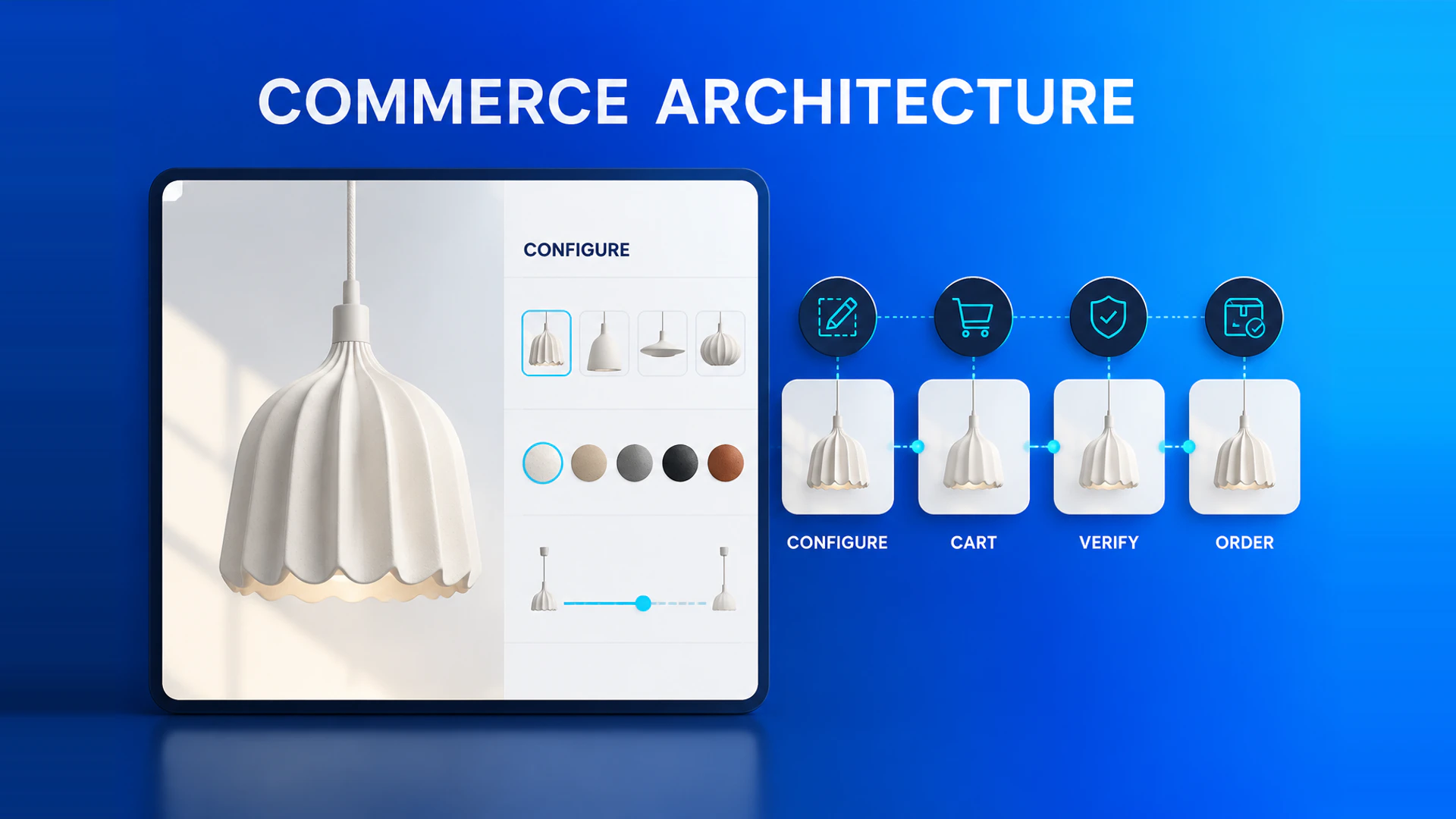
A Shopify 3D configurator succeeds when the configured result, cart, price, inventory, and order record agree. The visual experience should be designed with the commerce architecture, not added after it.
Separate visual state from sellable state
Not every visible choice should become a Shopify variant. Camera position, a hotspot, or a temporary room layout can remain visual state. A material, size, component, or engraving that changes what the business sells may need a variant, a mapped product, a bundle component, or structured custom data.
The key is to decide which choices affect inventory, price, fulfillment, and customer service. This avoids an attractive 3D result that cannot be identified by operations after checkout. For a broader delivery-model decision, compare configurator software with custom development before committing to the integration architecture.
Choose a cart strategy early
For simple configurations, the experience can select an existing variant and attach the readable configuration summary as line-item properties. More complex builds may add multiple component lines, map a configuration to a dedicated product, or send a quote request instead of a direct order.
Use the approach that keeps inventory and fulfillment accurate. Do not create a combinatorial variant catalog merely to mirror every visual state.
Use a product mapping example before implementation
Consider a modular outdoor sofa. The base product may map to a Shopify product, a standard fabric to a variant, and a selected set of modules to separate component lines or structured line-item properties. A camera angle and a temporary room arrangement can remain visual state. The exact mapping depends on inventory and fulfillment, but writing it down exposes missing decisions early.
Create a mapping for every important option with four fields: what the customer sees, whether it changes what is sold, which system owns it, and what the order record must contain. This prevents the 3D interface from becoming an isolated source of data.
Make pricing and discount behavior explicit
Define whether price comes from Shopify, a configuration service, an ERP, or a quote workflow. Test discounts, currencies, inventory changes, taxes, and promotions before launch. The displayed total and the final cart must have the same source of truth.
For custom furniture, the displayed total may be indicative while the final price depends on delivery area, fabric program, quantity, or dealer terms. In that case, label the price status clearly and pass the configuration reference into the quote request. Do not present a fixed total if the business cannot honor it at checkout.
Decide how customers return to a saved result
Complex configurations often need review before purchase. Support a shareable or recoverable configuration ID, and decide whether the result is stored in the browser, in a project service, or in a customer account. The sales team should be able to open the same result the customer discussed, including the selected components and relevant asset versions.
Include operational testing
Check that a merchant can read the selected configuration, support staff can identify what was sold, and the downstream team receives all required data. Test the same path on mobile and in the actual theme context.
Shopify configurator launch checklist
Before release, test variant and inventory mapping, cart and checkout behavior, discounts, currency, tax, order email content, customer-service visibility, theme compatibility, mobile performance, and analytics. Re-test after a product or price update. A successful 3D preview is only one acceptance criterion; the order and fulfillment record must be correct as well.
Protect inventory and fulfillment decisions
Inventory should be reserved only for sellable components or variants, not for every visual setting in the configurator. If the final product is made to order, record the selected configuration and route it to the production or sales workflow instead of pretending that Shopify stock is the complete source of truth. If a configuration uses several stocked components, make sure the cart and fulfillment logic represent each required item.
This decision should be made jointly by e-commerce, operations, and sales. The technical implementation follows the commercial promise: whether the buyer receives an immediate order confirmation, a review request, or a quote.
Handle failures and changing catalog data
Plan what happens when a product, fabric, or component is unavailable after a customer opens a saved configuration. The interface should explain that the prior selection changed, preserve the rest of the configuration where possible, and offer a valid alternative. Log mapping failures and invalid cart attempts so the team can find broken rules or outdated product data.
Version the configuration payload as the catalog changes. A saved result, cart line, and order should identify the option codes and product version used at the time. This makes customer support and post-order investigation possible even after the product catalog has changed.
Use analytics to validate the commerce path
Track configurator starts, valid completions, cart additions, checkout starts, completed orders, and quote requests separately. Review drop-off by device, product family, and option type. A high rate of valid configurations but low cart additions may point to price, delivery, or trust issues rather than a 3D problem.
Read the Shopify configurator integration guide, review the furniture configurator solution, and see the Outer Shopify case. For an architecture review, contact WECONFIG3D.
Ready to turn these principles into a project plan?
We can review your product structure, option logic, and target market to define a practical delivery scope and launch priority.