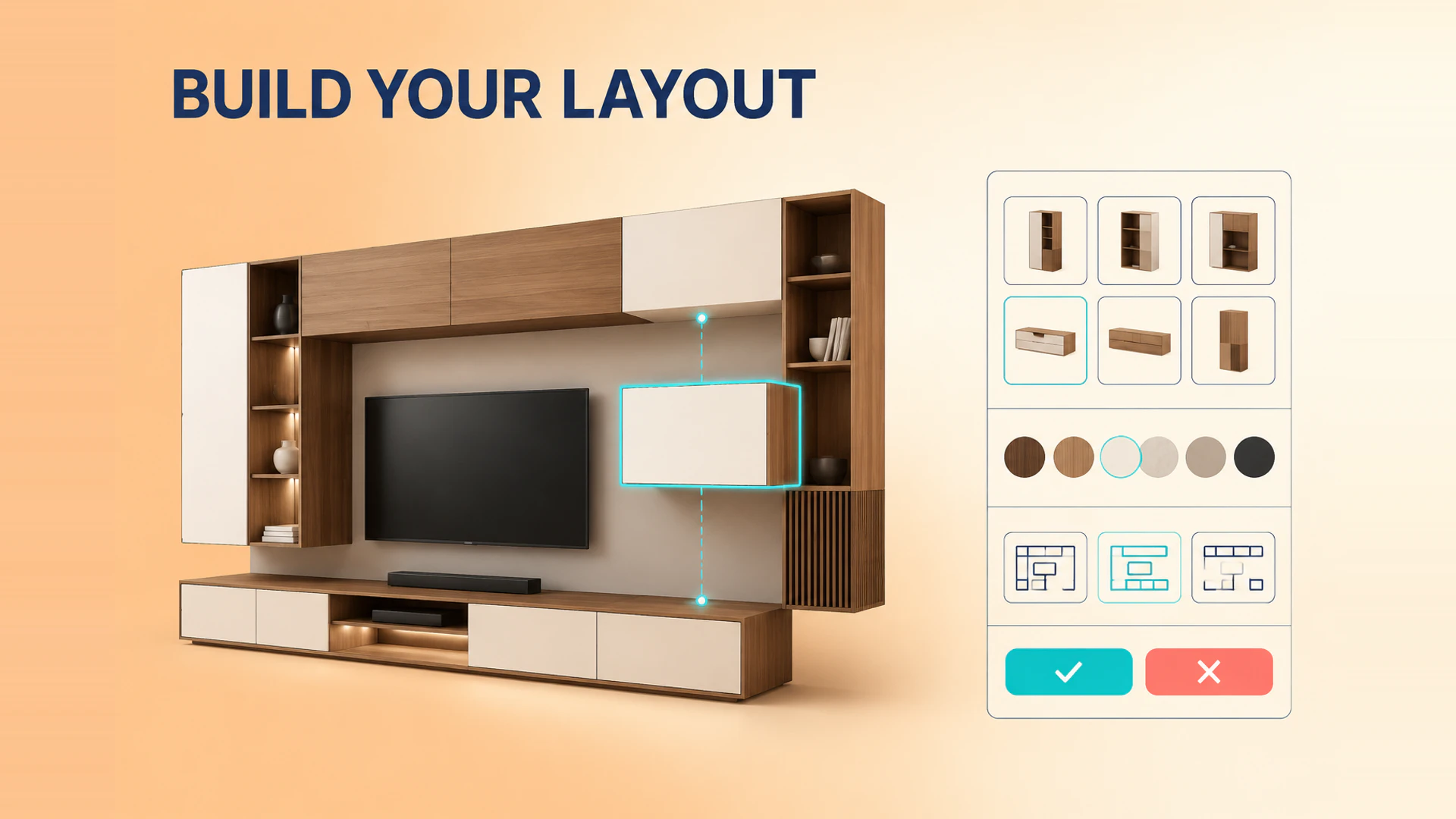
Modular furniture is a strong use case for 3D configuration because the buyer is not choosing one finished product. They are building a valid combination of sections, finishes, dimensions, and sometimes a room layout.
Start with the product system, not the 3D scene
The first deliverable should be a product map: available modules, connection points, dimensions, materials, compatibility rules, and outputs required by sales or commerce. A 3D scene can only be accurate when this structure exists.
For example, a sectional sofa may permit a corner unit only at a valid end, restrict a chaise to one direction, and apply a fabric choice across several joined modules. A cabinet system may limit widths, require support components, and change price by total composition. These are product rules, not visual decoration. If the team is still deciding between a platform and custom 3D configurator development, this product map is the most useful input for that decision.
Model modules, connectors, and dimensions explicitly
Each module needs more than a name and an image. Define its connection points, orientation, footprint, minimum and maximum dimensions, compatible finishes, and any components it requires. This makes the configuration engine easier to test and gives the 3D scene enough information to place parts consistently.
For a wardrobe or media-wall system, a width input may affect the number of panels, support pieces, doors, and price. For a sectional sofa, changing the orientation may move a chaise and change which end modules are valid. These relationships should be represented as structured data rather than hidden inside individual interface buttons.
Make invalid choices clear before they create friction
The interface should guide customers toward valid next choices. Disable unavailable modules with a reason, keep the current configuration visible, and make it easy to undo or start another layout. Do not wait until the final step to tell the buyer that a combination cannot be sold.
Material and dimension changes should also state their effect. If a finish changes lead time, price status, or eligible components, show that in the configuration summary rather than hiding it in a later sales conversation.
Give customers a useful configuration summary
The result should show the chosen modules, dimensions, materials, quantities, price status, and a readable configuration reference. Let customers review or share the result before they submit an inquiry. For dealers and sales teams, include a compact summary that can be attached to a quote without requiring someone to describe the layout from memory.
If the experience supports room planning, distinguish between the visual scene and the sellable product list. A customer may place several products in a room, while the order or quote needs separate lines, quantities, and configuration IDs.
Define the handoff for each sales model
An e-commerce flow may turn the completed composition into a product, bundle, cart line, or structured custom data. A B2B flow may produce a configuration code, PDF summary, bill of materials, quote request, or dealer lead. The same visual configurator can support both, but the data handoff must be planned early.
Test real decisions, not just happy-path visuals
Validate default layouts, maximum and minimum combinations, incompatible modules, material availability, mobile editing, price changes, and the handoff record. These tests protect the sales workflow as much as the customer experience.
Avoid the common modular configurator failures
Do not expose every module at once without explaining where it can connect. Do not allow a visually attractive arrangement that cannot be manufactured. Do not make the customer restart after changing one upstream option, and do not hide a missing material or price rule until the final inquiry step. A guided flow with visible reasons for unavailable choices usually produces a better result than a large catalog of unrestricted buttons.
Performance also matters. Load the initial product and a small set of likely options first, then fetch less common materials or modules as needed. This keeps the configurator usable on mobile without removing the detail that helps customers make a decision.
Set an acceptance rule for every visible state: the selected layout must be valid, the 3D view must match the summary, and the sales handoff must preserve the same composition. This simple check catches most expensive gaps before launch.
See the furniture 3D configurator solution, compare software and custom development, and review the Outer Shopify furniture case. For a product-rule review, contact the project team.
Ready to turn these principles into a project plan?
We can review your product structure, option logic, and target market to define a practical delivery scope and launch priority.